

How to set up on/off timer on Tizen 7
Publisert: 16th December 2025 (Oppdatert: 16th December 2025)

Samsung
Hardware
Startup
Here is a guide on how to set up an automatic on/off timer on Samsung screens with Tizen 7.
Start by pressing the HOME button on the remote control.

Press one step up and to the side to "Settings".
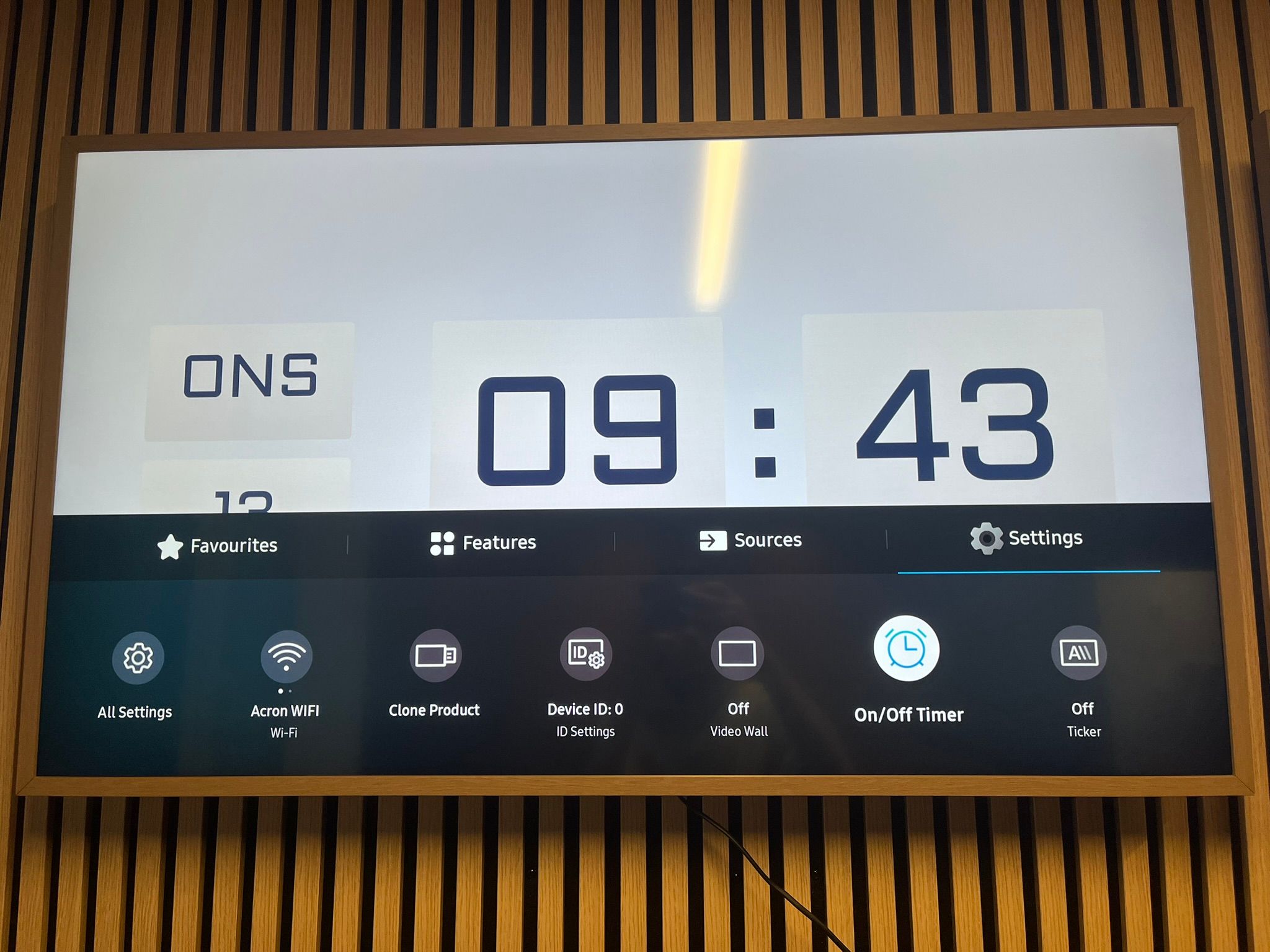
Here you select "On/Off Timer". A menu will then appear that looks like this:

Here you select "On Timer" to choose when the screen should turn on.

Here you select "On Timer 1".

On "Setup" you choose which days the screen should turn on. In this case, we select "Mon-Fri" (Monday to Friday).

Then change the following settings:
- "Time" → The time when the screen should turn on
- "Volume" → The volume the screen should start at; select 0 if you do not want the screen to play any sound
- "Source" → It is very important here that you select "Custom App"
An "On Timer" setup can look like this:
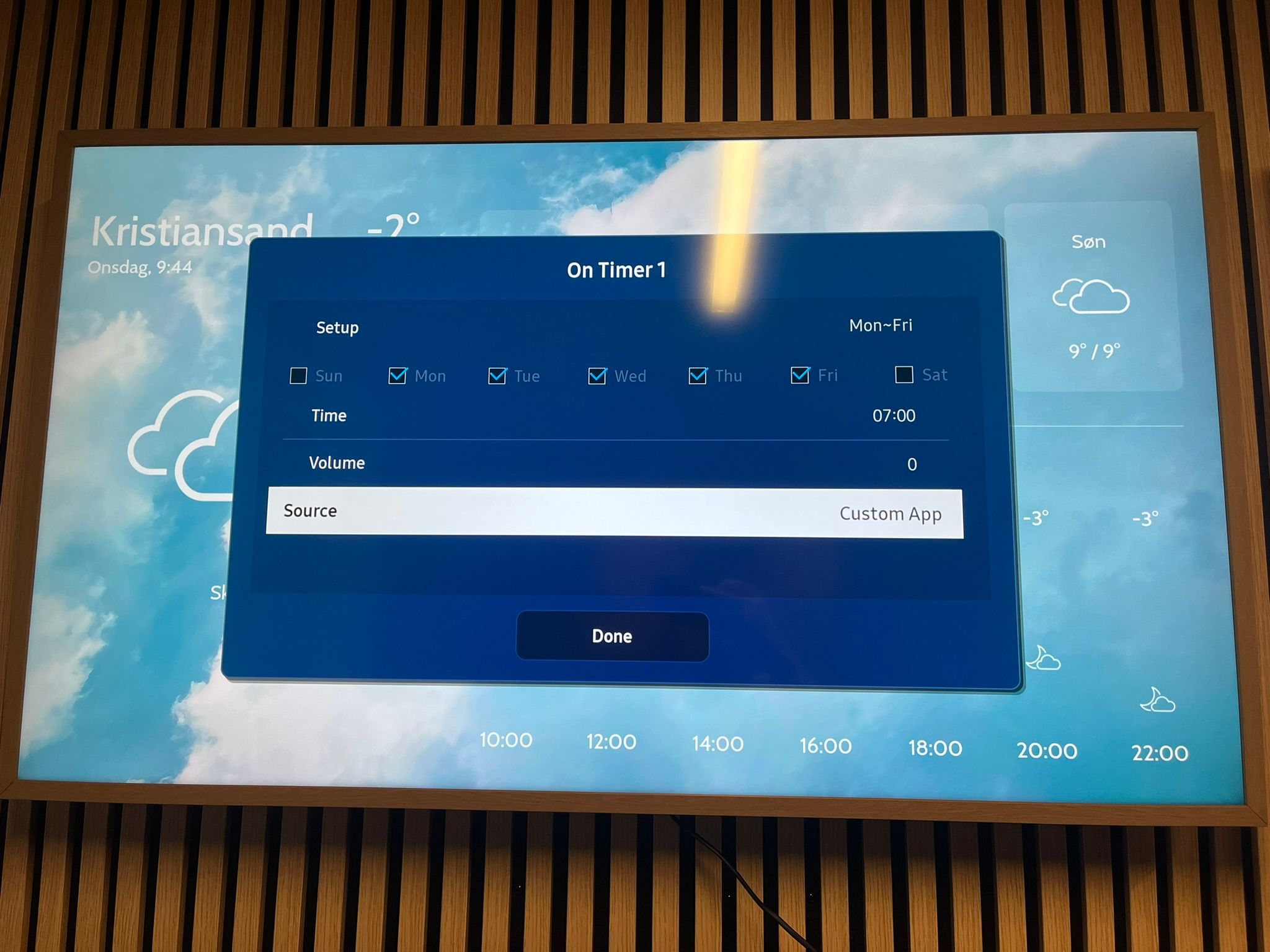
An "On Timer" setup can look like this: In this example, the screen will turn on at 07:00, Monday to Friday.
When you are finished, press "Done". Press return until you are back at the "On/Off Timer" screen.
To choose when the screen should turn off, select "Off Timer".
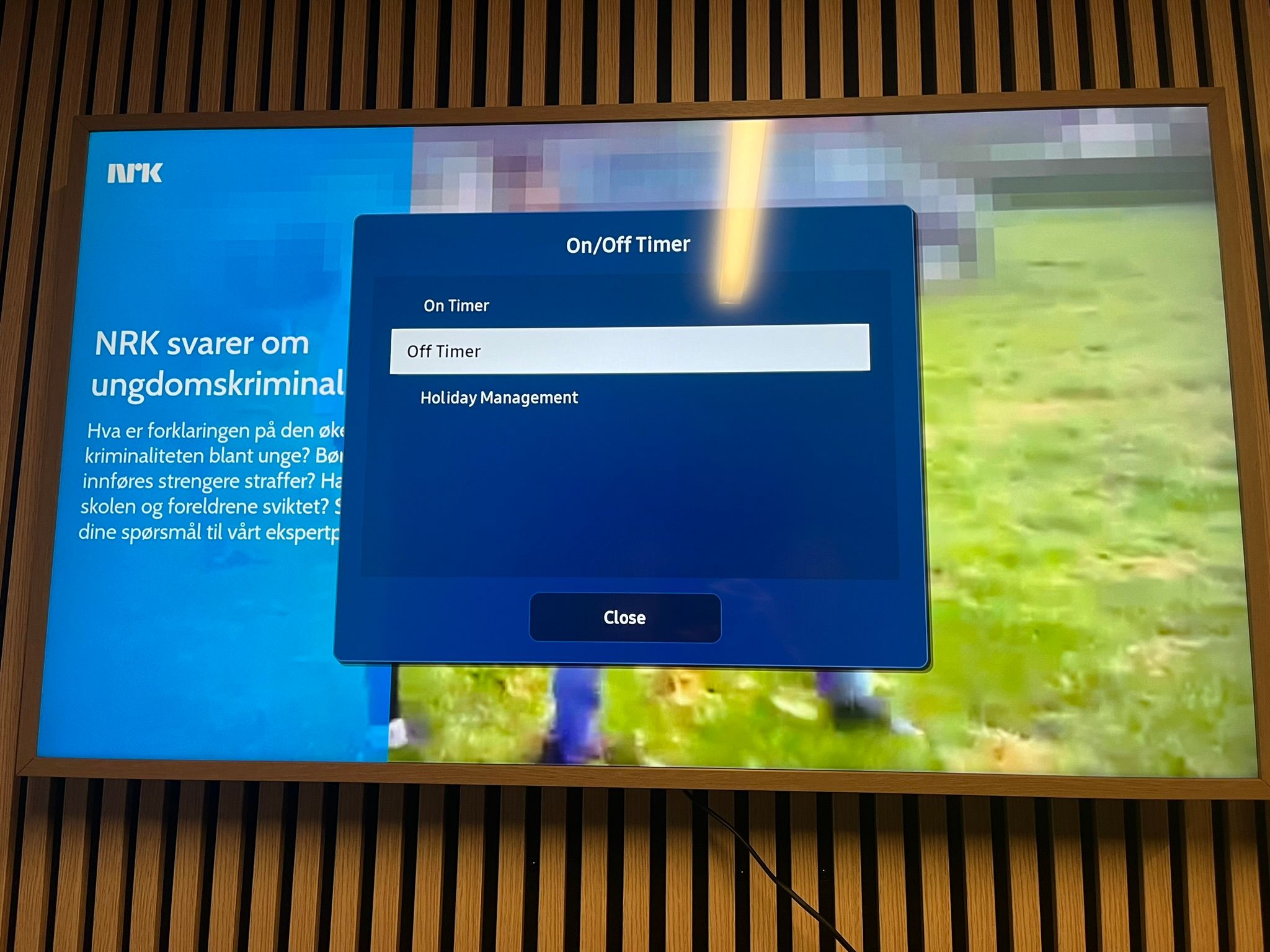
Here you select "Off Timer 1".

On "Setup" you choose which days the screen should turn off.
And under "Time" you choose at what time the screen should turn off.
When you are satisfied, press "Done".
After setting up the on/off timer, press the RETURN button on the remote control until you no longer see the menu.